- You got the warning — here’s what just happened
- Why LinkedIn is cracking down harder in 2026
- How LinkedIn detects automation (the 4 main signals)
- What happens if you ignore the warning
- The 5 things to do right now after a warning
- Why people use automation tools anyway — and what to use instead
- The safe alternative stack: zero automation, full output
- Why I would never put automation on my main account
- Frequently asked questions
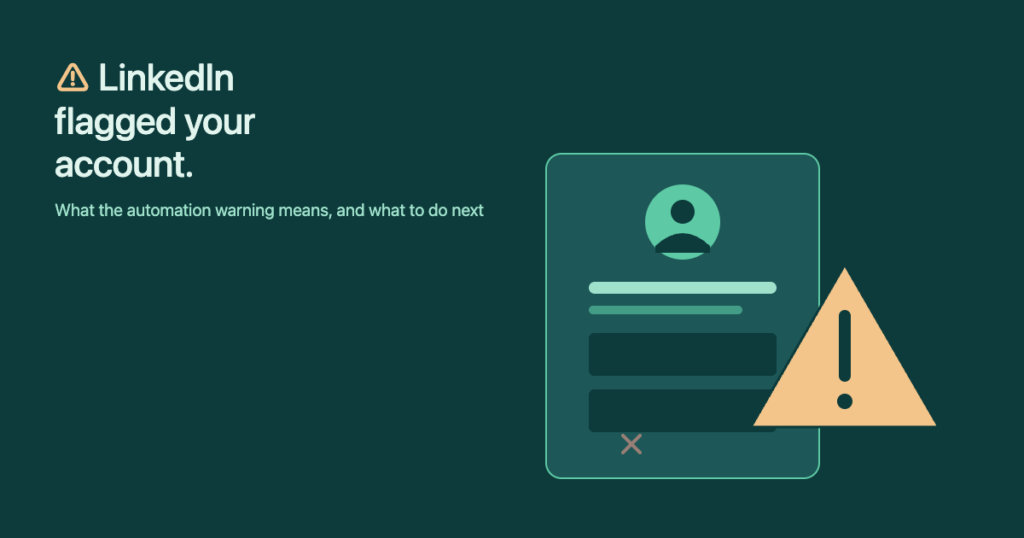
If you’re reading this with a „We’ve restricted some features of your account“ banner in another tab, take a breath. The warning is recoverable — most of the time. What is not recoverable is doing nothing about it, hitting the same buttons that triggered it, and watching the soft warning turn into a permanent ban within a week or two. This guide walks through what just happened, why LinkedIn is cracking down harder in 2026, and the safe alternative stack that delivers the same output without the risk.
You got the warning — here’s what just happened
LinkedIn issues three different levels of „automation warning,“ and most users don’t realise which tier they’re on until it escalates. Knowing where you are determines how fast you need to act.
| Tier | What it looks like | Recoverable? | Time to act |
|---|---|---|---|
| 1. Soft warning | Email or banner: „automated activity detected“; features still work | Yes, in days | Within 24 hours |
| 2. Temporary restriction | Can’t send connection requests or messages; profile still visible | Yes, in 1–4 weeks | Immediately |
| 3. Permanent restriction | „Your account has been restricted“ — full lockout; appeal required | Maybe — appeal often denied | Lawyer territory in some cases |
Tier 1 is the only free pass. If you ignore it and keep using the same automation tool, escalation to Tier 2 typically happens within a week. From Tier 2, repeated triggers push to Tier 3 — and Tier 3 appeals fail more often than they succeed, especially for accounts that already had Tier 1 warnings on record.
Why LinkedIn is cracking down harder in 2026
Two things changed since 2023. First, LinkedIn pushed out a major detection update in mid-2024 that added behavioural fingerprinting — tracking mouse movement patterns, scroll velocity, and the precise timing between clicks. Tools that pass tests like „vary the delay between actions“ still get flagged because the variance pattern itself is unnatural.
Second, LinkedIn now correlates activity across accounts. If one IP address or one residential proxy pool is sending requests for ten different „individuals,“ the pattern is obvious from the platform side. Even cloud-based tools (Dripify, Waalaxy on cloud mode) eventually trip this because they all rotate through similar IP ranges.
How LinkedIn detects automation (the 4 main signals)
- Action rate and timing. 20 connection requests in 12 minutes followed by 30 minutes of inactivity — every workday at exactly 9:00 AM — is not a human pattern.
- Missing mouse and keyboard signals. Real users move the cursor, scroll, hover. Automation tools call the API directly and skip all of that. The absence of those signals is itself a fingerprint.
- Request headers and origin. A tool that uses LinkedIn’s internal API but lies in the User-Agent header gets flagged the moment LinkedIn changes that internal API and your tool stops matching.
- Cross-account coordination. Same IP, same proxy pool, same exact click sequence on five separate profiles? LinkedIn sees that.
What happens if you ignore the warning
I personally know several people who lost LinkedIn accounts they had spent a decade building. One had over 12,000 connections, half of whom were active clients or prospects. He kept using the same automation tool after a Tier 1 warning because the tool’s vendor told him the warning „didn’t mean anything.“ Four days later: Tier 3. Account locked. He ended up paying a lawyer to draft a formal appeal letter, which took six weeks and was ultimately denied.
That’s the math you should be doing. Six weeks of legal time, denied appeal, an account that took ten years to build — gone. Against whatever pipeline a tool would have generated in those four days you kept running it. The risk-reward calculation only works if your LinkedIn profile is genuinely worth less to you than the marginal output of an automation tool. For anyone whose profile generates actual revenue, that is never the case.
The 5 things to do right now after a warning
- 1. Stop the tool immediately. Log out, pause it, disconnect the integration — whatever the tool calls it. Don’t finish „today’s queue.“
- 2. Disable any LinkedIn-targeted Chrome extensions. Even ones you didn’t think were the cause — LinkedIn doesn’t tell you which extension triggered it, and a cleanup is cheap insurance.
- 3. Force-quit and reopen the browser. Some automation tools keep a session alive even after you „log out.“ A full restart purges that.
- 4. Use LinkedIn manually for 7–14 days. Normal browsing, occasional manual messages, no bulk activity. The detection model needs to see human behaviour for the warning to clear.
- 5. Document everything in case you appeal. Screenshot the warning, note the timestamp, capture which tool you were running. If escalation hits, the appeal goes much further with concrete evidence.
Why people use automation tools anyway — and what to use instead
The reason automation tools exist is real: cold outbound on LinkedIn is slow, repetitive, and error-prone if you do it the wrong manual way. Every problem an automation tool claims to solve has a non-automation alternative that’s safer and, in most cases, gives better targeting.
| Real problem | Risky fix (automation) | Safe alternative |
|---|---|---|
| Hard to find good leads | Auto-scrape Sales Nav exports | Sales Navigator + Apollo/Hunter manually — cleaner data |
| Sending 100 requests/week is tedious | Auto-send connection requests | Autofill tool (InFilly) — 30 min/day, 100 sends/week, no risk |
| Personalisation doesn’t scale | AI-write each message | Battle-tested templates + autofill of {first}, {company} |
| Need follow-ups in 3 days | Auto-send drip sequence | Calendar reminder + autofill — you still click send |
| Track outreach metrics | „All-in-one“ platform | Google Sheet — beats every paid tool I’ve tested |
The safe alternative stack: zero automation, full output
The two-tool stack that replaces every „LinkedIn automation suite“ without the account risk:
- A lead finder — Apollo or Hunter — to grab verified emails when you need to follow up off-LinkedIn.
- An autofill tool — InFilly — to fill
{first},{company},{title}into your saved template so you can fire off 100 personalised sends a week without the typing tax.
That stack runs at $0 if you use both on free tiers, and tops out around $40/month if you upgrade. Compare with $50–$112/month for Waalaxy / Dripify plus the cost of restoring a banned account (which can hit lawyer-fee territory). The math is not close.
InFilly fills {first}, {company}, {title} on your saved LinkedIn template in one click — and stops there. No sending, no scheduling, no automation fingerprint. Zero risk of triggering an automation warning.
Why I would never put automation on my main account
My LinkedIn profile has thousands of followers and generates real revenue. It took years to build. Asking myself „would I risk all of that for the marginal output of an automation tool?“ is not a hard call — the answer is no. Not in a million years. Not even if the tool worked perfectly today, because the next algorithm update could land tomorrow and the worked-perfectly tool is now a flag generator.
If you genuinely want to test automation, do it on a blank, throwaway profile — a „burner“ you create specifically for that purpose, with zero relationships to lose. That’s where I’d run any automation tool experiment. Never on a profile with revenue attached.