- The uncomfortable truth: your note matters less than you think
- Your profile is the real connection request
- When to send a note — and when blank wins
- LinkedIn connection request templates that actually get accepted
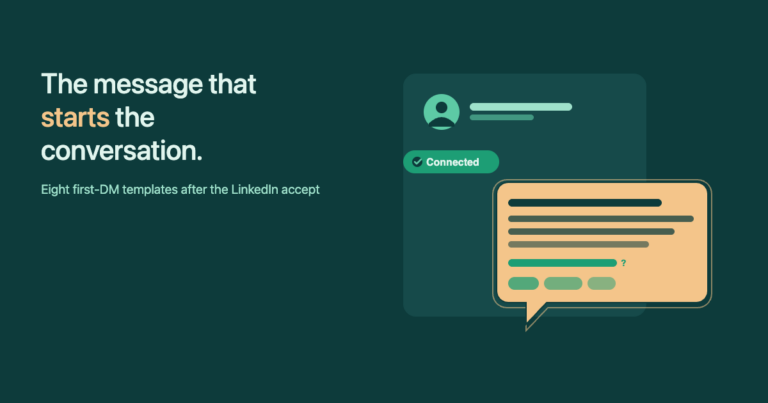
- The message that actually makes you money: your first message after they accept
- How to test your connection requests (the 1-second edge)
- LinkedIn connection request limits & rules in 2026
- FAQ
Most LinkedIn connection-request guides start with „always personalize your message.“ The 2026 data tells a different story — and it changes where you should actually spend your time. I’ve sent more than enough requests over the years (and watched dozens of clients do the same) to know what moves the needle: it’s not the 200 characters of your note. It’s the profile that gets visited before the accept, and the first message you send right after. This guide gives you the numbers, the templates, and the workflow — all manual, zero automation.
The uncomfortable truth: your note matters less than you think
Botdog analysed 16,492 LinkedIn connection requests across 2025-2026. The result that broke most outreach gurus‘ assumptions: blank requests accepted at 26.37%. Personalized notes accepted at 26.42%. That’s not a difference — that’s a tie within rounding error.
A separate analysis of more than 80,000 requests reached the same conclusion: blank requests outperform note-based ones in most scenarios. The mechanism makes sense once you watch your own LinkedIn behaviour. When a request arrives with no note, there’s no pitch to reject and no obvious agenda to be suspicious of. Curiosity takes over — you click into the profile to figure out who this person is. That click is where the decision actually happens.
You’ll find conflicting numbers elsewhere. Some sources show personalized requests at 45% versus 15% for generic ones, or claim a 2-3x lift from personalization. Both can be true in their narrow context. Here’s how to reconcile them:
- A real note (named mutual connection, a specific reference to something they wrote, a real event) consistently lifts acceptance — often above 50%.
- A generic note („I’d like to add you to my professional network“) performs worse than no note at all. It signals „another sales person“ before the reader even taps the profile.
- For the average request to a stranger, blank vs. personalized comes out a wash. Curiosity does roughly the same work as a forced-sounding opener.
The implication is uncomfortable for anyone who’s spent hours A/B-testing wording: that’s not where the leverage lives. The leverage lives in two places — your profile, and the first message after they accept.
Your profile is the real connection request
When a request without a note lands in someone’s inbox, here’s what they actually do: they tap the profile preview. They scan the headline. If it tells them clearly who you are, who you serve, and why connecting matters, they accept. If it’s vague, defaulted to a job title from three years ago, or reads like a corporate bio, they ignore.
After years of running my own outreach and helping clients do the same, here’s the profile checklist I treat as non-negotiable before sending a single request:
- Headline that finishes the sentence „I help [target] do [outcome]“ — not just your job title. The headline is the only thing visible from the request preview on mobile. Waste it and acceptance drops by half.
- A real photo, not a logo. People accept people. Logos look like brand accounts, which most users skip.
- First two lines of the About section answer „why should I care?“ — not your career history. About sections are read top-down; the second screen rarely gets seen.
- Visible proof in your feed. A handful of recent posts — even simple text posts — shows you’re a real human, not a dormant profile or a sock account.
- Targeting that matches your profile. If your profile says you help SaaS founders with paid acquisition, you don’t send requests to logistics directors. Mismatched targeting is the fastest way to tank acceptance.
That last point is the one most people get wrong, and it’s not a profile problem — it’s a list problem. I once tested LinkedIn Helper on an employee’s profile (not my own — I’d never risk my main one). The volume was high, the acceptance rate was acceptable, but roughly half the requests went to people outside our actual target audience. Zero results, and LinkedIn caps your weekly invites — so every wasted request is a missed real prospect.
Fix the profile and the list before you spend another minute on note wording.
When to send a note — and when blank wins
There’s another reason most people end up sending blank requests by default in 2026, whether they want to or not: LinkedIn has quietly capped personalized notes for free accounts. The official help docs reference roughly 3 personalized notes per month for free users; third-party trackers report numbers anywhere from 3 to 10 depending on rollout. Either way, the realistic default is now blank.
Here’s the decision rule I use:
- Send blank when: the recipient is in your target audience, your profile is dialled in, and you have nothing specific to say that wouldn’t sound forced. Most cold-but-relevant requests sit here.
- Send a note when: there’s a real, named anchor — a mutual connection you both genuinely know, an event you both attended, a post they wrote that you can reference in five words or less. Real anchors push acceptance past 50%.
- Never send: „I’d like to add you to my professional network,“ „I see we both work in tech,“ or any other zero-content opener. Generic notes actively hurt acceptance because they signal „sales rep on a list.“
| Blank request | Personalized note | |
|---|---|---|
| Acceptance rate (16,492-request study) | 26.37% | 26.42% |
| Post-accept reply rate | 5.44% | 9.36% |
| Free-account limit | Effectively unlimited | ~3-5 per month |
| Risk if generic | Low (no signal) | High (worse than blank) |
| Best use case | Strong profile, high volume | Mutual contact, real anchor |
InFilly reads the LinkedIn profile you’re on and fills {first}, {company}, {title} on your template with one click. No automation. No account warnings. When personalization costs you a second instead of a minute, A/B-testing it actually becomes realistic.
LinkedIn connection request templates that actually get accepted
Eight templates I and my clients have actually used. Each fits inside the 200-character free-account limit. Token reference:
{first}— first name. Mandatory.{company}— current employer.{title}— current role.{mutual}— a real shared connection (verify they know them).{topic}— short reference, five words max.
1. Mutual connection
Hi {first} — saw we both know {mutual}. They mentioned working with you on {topic}; figured I'd say hi and connect.
Why it works: a real name does 80% of the trust work. Only use if the mutual is genuinely known to the recipient.
2. Same industry / role peer
Hey {first} — fellow {title} here. Always trying to learn from others in {topic}. Happy to swap notes if you're up for it.
Why it works: peer framing avoids the „they want to sell me something“ reflex.
3. Post-event
Hi {first} — was at {topic} last week and saw your name in the attendee list. Didn't get the chance to chat in person; hoping to fix that here.
Why it works: shared context removes the cold-stranger problem entirely.
4. Reply to their content
Hey {first} — your post about {topic} actually changed how I think about it. Wanted to keep up with what you publish; happy to connect.
Why it works: zero ask, signals genuine interest in their work.
5. Recruiter outreach
Hi {first} — hiring a {title} for {company} and noticed your background. No pressure, but if you're open to a quick conversation, would love to connect.
Why it works: states intent honestly, no pretense, no salesy hook.
6. Alumni
Hey {first} — fellow {topic} alum here. Always glad to connect with people who came up through the same program. Hope to stay in touch.
Why it works: shared institution = built-in trust signal.
7. Cold but relevant
Hi {first} — saw {company}'s focus on {topic} and thought it was relevant to what I work on. Happy to connect if useful for both sides.
Why it works: signals you’ve actually looked at the company, not just the job title.
8. Re-connect after silence
Hey {first} — realised our paths crossed back at {topic} and we never actually connected. Late but real; happy to fix that now.
Why it works: honest acknowledgment beats pretending the gap doesn’t exist.
One rule that applies to all eight: do not paste them raw. The {topic} slot is where the message lives or dies. Five words of real, specific reference beats anything you could have invented from scratch — and it’s the difference between a template and a generic note.
The message that actually makes you money: your first message after they accept
Here’s the part most outreach guides bury or skip entirely: the connection accept is not the win. The conversation is. And the conversation only happens if you send a first message — fast, short, and with no pitch.
The data backs this up:
- Messages under 400 characters get 22% higher reply rates than longer ones.
- Pitching in the first message converts at under 2% across most B2B contexts — and signals a transactional relationship before any trust is built.
- Referencing a recent post or activity from the recipient lifts reply rates by 32%.
- For first-degree connections, 25-35% reply rate is good, 40%+ is excellent.
My own data over years of running this for myself and for clients: the first message after acceptance is the single highest-ROI touchpoint in the entire LinkedIn workflow. It’s also the touchpoint most people get wrong — they pitch, they ask for a meeting, they pile on five paragraphs.
Here’s the template I default to:
Hey {first}, happy to connect!

You probably saw from my profile that I'm all about {topic} — is that something that's generally relevant to what you're working on at {company}?

Curious to hear your take.
The structure does three things at once:
- No pitch. The message asks one question, not for a meeting.
- Points back to the profile — which already did the heavy lifting before they accepted.
- Goal = a reply, not a close. Once the conversation is open, you can find the right ask. Without the conversation, you have nothing.
If you want the deeper playbook on first-message wording — multiple template variations, what to do if they don’t reply within a week, when (and when not) to follow up — that’s coming in a dedicated guide on LinkedIn First Message After Connecting. For now: send this template, measure, then iterate.
How to test your connection requests (the 1-second edge)
Most people never measure anything on LinkedIn — partly because LinkedIn gives you almost no outreach analytics. I’ve literally tracked acceptance and reply rates with a hand tally counter for weeks at a time. That’s how broken the built-in tooling is.
The cleanest way to test, given the constraints: send the exact same connection request and first-message combination to a meaningful batch — a week’s worth of 100 requests — and measure. When the acceptance rate or reply rate moves, change exactly one variable and measure again. Same audience, same time of day, same channel.
This is where the autofill workflow earns its place. The whole reason I built InFilly: copy-pasting names manually for every request is the bottleneck that makes A/B-testing impractical. With one click the tokens fill in, the message goes out, and the experiment is repeatable. A 2-3% lift in acceptance doesn’t sound like much in isolation — but on 100 requests per week, that’s 2-3 additional prospects in conversation, which compounds into real sales over a quarter.
Three rules I follow:
- Hold everything else constant. Same target audience, same time of day, same template structure.
- Batch sizes of 100+ before drawing conclusions. Sub-100 noise drowns the signal.
- Change one thing at a time. If you change the request text and the first message simultaneously, you can’t tell what moved the number.
LinkedIn connection request limits & rules in 2026
Quick reference for the rules every active user runs into eventually:
- Weekly cap: ~100 connection requests for most accounts. High-trust accounts with strong SSI scores can push 150-200.
- Pending duration: up to 6 months. Unaccepted requests sit there until that horizon, then expire.
- Withdraw cooldown: ~3 weeks. If you withdraw a request and try to send a new one to the same person, LinkedIn blocks it for about three weeks.
- Notes — free vs. Premium. Free accounts now have a tight cap on personalized notes per month (~3-5 depending on rollout) at 200 characters. Premium accounts get more capacity and 300 characters per note.
- Click „Connect“ from the profile, not from list views. The „Add a note“ prompt only appears reliably when you initiate from someone’s actual profile page; quick-connect buttons in „People You May Know“ lists usually skip the note step entirely.
- Spam flags hurt. Too many requests reported as spam will temporarily restrict your account before any visible warning fires. Acceptance rates below 20% are the leading indicator.
| Action | Free account | Premium account |
|---|---|---|
| Connection requests per week | ~100 | ~100-200 (high-trust) |
| Personalized notes per month | ~3-5 | More |
| Note character limit | 200 | 300 |
| Pending request duration | Up to 6 months | Up to 6 months |
| Re-request after withdrawal | ~3 week lockout | ~3 week lockout |