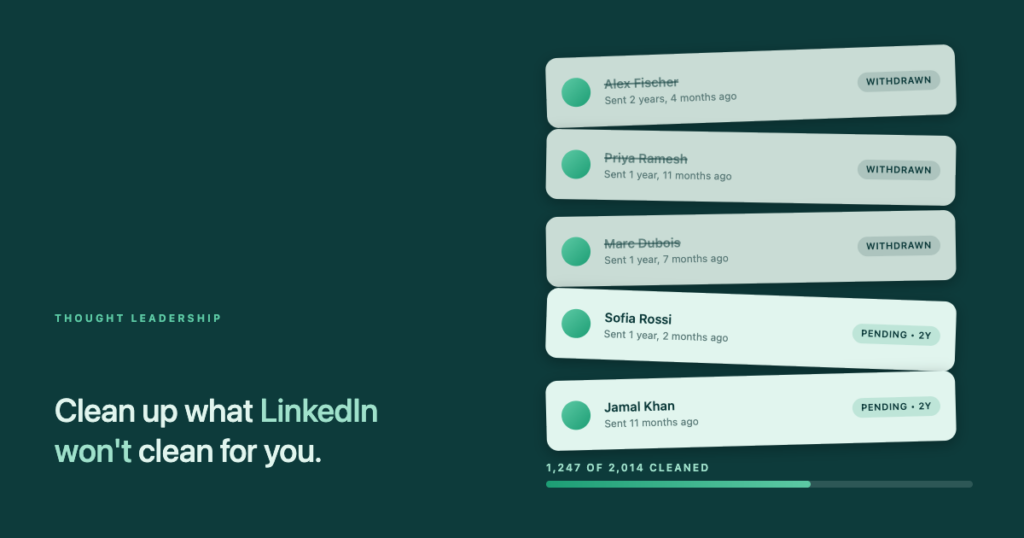
- I used to laugh at this advice
- The numbers everyone quotes (and where they don’t come from)
- Follow the sources — a five-vendor echo chamber
- What LinkedIn actually confirms vs what the community made up
- Why I tried it anyway (and what happened next)
- The workflow: five minutes a day, no infinite scroll
- The rhythm that does not look automated
- What to realistically expect
Same content, same posting rhythm, same profile — and impressions that used to run into the thousands or tens of thousands dropped to somewhere between 150 and 500 per post. When you go looking for reasons in every LinkedIn optimisation forum on earth, the first piece of advice you meet is the same: withdraw your old pending connection requests. I ignored that advice for years. Then it started sounding less ridiculous.
I used to laugh at this advice
For years I watched LinkedIn „growth experts“ tell everyone within earshot that the secret to fixing reach was to withdraw old connection requests. It always felt like the kind of advice you find in the same corner as crystals for computer performance. There was no obvious mechanism, no LinkedIn documentation behind it, and the people repeating it seemed suspiciously enthusiastic about the automation tools they also happened to sell.
Then my own reach fell off a cliff. Nothing about my content had changed. Same topic, same voice, same posting cadence I had run for years. Impressions that used to sit comfortably in four-figure ranges — occasionally five — started coming back in the 150–500 range. That is not a soft dip. That is a signal.
I did what any half-rational person does when the results do not match the input: I started trying things. Content posture, posting cadence, engagement patterns, and — reluctantly — the advice I had spent years mocking. I did not expect the pending-requests cleanup to be the one that mattered. I expected to be able to cross it off the list.
The numbers everyone quotes (and where they don’t come from)
Read five or ten blog posts about LinkedIn pending requests and you will meet the same set of numbers, over and over:
- Over 500 pending requests — LinkedIn starts watching your account more closely.
- Over 700 — your weekly connection limit gets tightened further.
- Over 1,500 — new requests get practically blocked.
- Below 30% acceptance rate — the algorithm treats you as a possible spammer.
- Too many „I don’t know this person“ reports — your reach gets throttled.
These numbers show up in almost every guide on the topic. They are specific. They are consistent. They read like they came from a leaked internal document. And that is exactly the problem — because they didn’t.
Follow the sources — a five-vendor echo chamber
Trace the citation chain back and it stops in the same place every time. The numbers do not come from LinkedIn — LinkedIn has never published concrete thresholds for account restrictions, anywhere. Not in the help centre, not in the developer docs, not in transparency reports. They come from a small set of automation-tool blogs: PhantomBuster, Linked Helper, Snov.io, Multilogin, Taplio, and a couple of adjacent players.
Read those five blogs side by side and you will see the same three-number list, the same phrasing about „algorithm behaviour“, the same order of arguments. What looks like consensus is actually copy-paste. Somebody floated a rough estimate years ago, others quoted it as fact, and the estimate hardened into „everyone knows“ without ever gaining a primary source.
The vendors all have two things in common. First, they sell tools that automate LinkedIn behaviour. Second, their readers are, by definition, people who are already using or considering that kind of automation. The advice these blogs give will always tilt in the direction of „your account is at risk, here is what to do about it“ — because that framing is where their customers already live.
There is a quieter, more uncomfortable irony here. The one thing that definitely gets LinkedIn accounts restricted — not by rumour, but by explicit terms of service — is automated behaviour. Bulk-sent invites, scraped searches, browser-emulator scripts. If the tools these blogs sell are the actual cause of many restrictions, then the exact-number thresholds they publish are less „insider knowledge“ and more „field observations from the very population most at risk“. Selling the disease and the cure is an old business model. It does not automatically mean the observations are wrong — but it should absolutely change how much authority you grant them.
What LinkedIn actually confirms vs what the community made up
To make this concrete, here is the shortlist of what LinkedIn has actually said out loud — in its help centre, its user agreement, or its support responses — alongside the community claims that people cite as if they carried the same weight.
| Confirmed by LinkedIn | Community claim (unconfirmed) |
|---|---|
| A weekly connection-invite limit exists (~100 for most accounts, adjusted dynamically). | The exact 500 / 700 / 1,500 pending-request thresholds as trigger points. |
| Accounts can be put into a „restricted“ state and lose functionality. | A direct, measurable reach penalty tied specifically to a pending-request backlog. |
| Acceptance rate on invitations affects future limits. | The precise timing of recovery after a cleanup. |
| „I don’t know this person“ reports negatively affect the sender. | The idea that older pending requests punish you more than newer ones. |
| Rule violations can result in silently reduced content visibility. | That cleaning up pending requests is a reliable path back to old reach numbers. |
The distinction that matters: the underlying mechanism is real. LinkedIn does watch your sending behaviour and acceptance rate, and both do influence what you can do and how visible you are. The numbers everyone quotes are the community’s best guesses layered on top of that real mechanism. Treating those guesses as gospel is a bad idea. Treating the mechanism as fake is also a bad idea.
The safest LinkedIn workflow is still the manual one. But you do not have to retype every name, company and role by hand. InFilly fills your placeholders — {first}, {company}, {title} — with one click, on any LinkedIn message. No bots, no scrapers, no account warnings.
Why I tried it anyway (and what happened next)
When you are in the middle of a reach drop that has already lasted weeks, the analytical purity of „I need to isolate one variable at a time“ collides head-on with reality. Every additional week of degraded reach is real cost — missed conversations, missed pipeline, and the slow erosion of the compounding effect that made LinkedIn worth investing in for you in the first place. So I did what most people do: I ran several interventions in parallel.
Content posture, posting cadence, engagement mix, and — for the first time ever — a serious cleanup of my pending connection requests. My reach recovered over the following weeks. And I cannot honestly tell you which lever moved the number. Any consultant who claims that kind of clean attribution about their own LinkedIn recovery is either lying or was only running one experiment.
What I can tell you is this: if LinkedIn is a serious business channel for you and your reach is inexplicably compressed, the cleanup is one of the cheapest levers to pull. It is reversible — you can not break anything by withdrawing a request that was sitting untouched for three years. It addresses an officially documented mechanism, even if the exact community numbers around it are dubious. And even if it does not move your reach, you have ruled out one common cause and shrunk the search space for what is actually wrong. That has diagnostic value on its own.
The workflow: five minutes a day, no infinite scroll
The reason most people never do this cleanup is not that it is complicated. It is that LinkedIn’s own UI for it is genuinely hostile. The pending-requests view is an infinite scroll with no sort options, no filters, and no bulk actions. If you have 1,500 sitting there and you want to reach the oldest, you will spend two hours scrolling before you can start actually working.
There is a much better way. It has four steps and it runs the whole cleanup in about five minutes per day.
Step 1: Request a LinkedIn data export
Go to linkedin.com/mypreferences/d/download-my-data. Select the Connections and Invitations categories and hit „Request archive“. Ten to thirty minutes later you get an email with a ZIP download. Inside is an Invitations.csv containing every invitation you have ever sent or received, with dates, names, and profile URLs.
Step 2: Hand the CSV to Claude (or any capable LLM)
Open Claude, ChatGPT with file upload, or your assistant of choice. Attach the Invitations.csv and use this prompt verbatim:
Attached is my LinkedIn Invitations.csv from the official data export.

Please generate an HTML document with the following properties:

1. Only include the OUTGOING rows (invitations I sent, not received).
2. Sort by date, oldest first.
3. For each row: index number, date, recipient name, and an "Open profile" link that points to the inviteeProfileUrl with target="_blank".
4. Clicking the link should grey out and strike through that row.
5. Sticky header at the top showing: total count, done count, remaining count, and a progress bar.
6. Button "Open next 10": opens the 10 oldest remaining rows in background tabs and marks them as done.
7. Button "Hide done": hides all completed rows.
8. Button "Show all": restores every row.
9. localStorage-based progress tracking so I can close the file and continue tomorrow without losing state.
10. A clear info line at the top: "Sort: oldest at top, newest at bottom."

Save the file as linkedin-cleanup.html in my project folder.
You get back a single HTML file. For a backlog of around 2,000 requests it comes out at roughly 800 KB and runs smoothly in any modern browser. No frameworks, no build step, no server.
Step 3: Open the HTML tracker in your browser
Double-click linkedin-cleanup.html. From here you have two workflows depending on your temperament:
- Manual click-through: Cmd+Click (Mac) or Ctrl+Click (Windows) on „Open profile“ — the profile opens in a background tab, the row greys out, and you stay on the tracker page. Build up a stack of 10–20 tabs, then work through them.
- Batch mode: Click „Open next 10“ and the ten oldest remaining profiles open at once in background tabs, all marked as done. Switch to the tabs and process them.
Step 4: Withdraw each pending request
On each open profile you will see a „Pending“ button at the top, because you sent the invitation. Click it, choose „Withdraw“, confirm, close the tab, move on. Three to five seconds per profile. Ten profiles takes about a minute. Thirty to fifty per day works out to ten to fifteen minutes of actual clicking.
The rhythm that does not look automated
Here is where instinct will actively work against you. It feels like the faster you clear the backlog, the faster your reach recovers. That intuition is wrong, and it is wrong in a specific way that could make the situation worse.
LinkedIn watches behaviour, not just totals. A user who withdraws 500 invitations in one hour looks — to any reasonable classifier — indistinguishable from a script. That is exactly the pattern the platform is designed to detect. Ripping through the whole backlog in a single afternoon can put you into deeper trouble than the pending requests ever did, because you have just handed the system a fresh, clean bot signal.
The pragmatic rhythm is boringly steady:
- 30–50 withdrawals per day, split across two or three short sessions.
- Over multiple weeks. For a 2,000-backlog, plan on six to eight weeks of daily rhythm.
- No new connection requests during the cleanup phase — at least four weeks. The signal you want to send is „quiet, ordinary account“, not „actively scaling outreach while also mass-withdrawing“.
- Stay engaged the human way. Five to ten substantive comments on other people’s posts per day, one high-quality post per week. That is what a real active user looks like to the platform.
What to realistically expect
Do not expect a reach-recovery in a week. Do not expect a guaranteed return to your old top numbers. LinkedIn does not confirm interventions and does not tell you when — or why — your visibility changes. What is realistic:
- Weeks 2–4: the first positive signals are possible — occasional posts breaking back into normal ranges, engagement notifications creeping back.
- Weeks 4–8: a clearer trend line, either sustained improvement or a plateau that tells you the cause was somewhere else.
- Either outcome is useful. Recovery means you fixed it. No recovery means one common cause is now definitively ruled out, and your next investigation starts with a smaller haystack.
Even when the cleanup does not save your reach, it will save you from the next scare. A profile that gets tidied every four to six weeks — 15 minutes to review anything older than a month without a response and withdraw it — never accumulates the 2,000-request backlog that makes you panic in the first place. It becomes routine hygiene rather than emergency triage. That alone is worth doing, independent of whether it moves the algorithm.