- How we ranked them
- Autofill vs automation — read this first
- 1. InFilly — best for safe template autofill (free)
- 2. AuthoredUp — best for post formatting and writing
- 3. Shield Analytics — best for tracking content performance
- 4. Reepl — best AI writing for LinkedIn
- 5. Hunter — best for finding business email addresses
- 6. Apollo.io — best free lead database
- 7. Crystal Knows — best for personality insights before a DM
- 8. Dux-Soup — most popular automation extension (use with caution)
- 9. Waalaxy — automation with multi-channel sequences (use with caution)
- 10. Evaboot — best for scraping Sales Navigator searches
- The complete comparison table
- My personal stack (the 3 I actually use daily)
- Extensions I removed (and why)
- Frequently asked questions
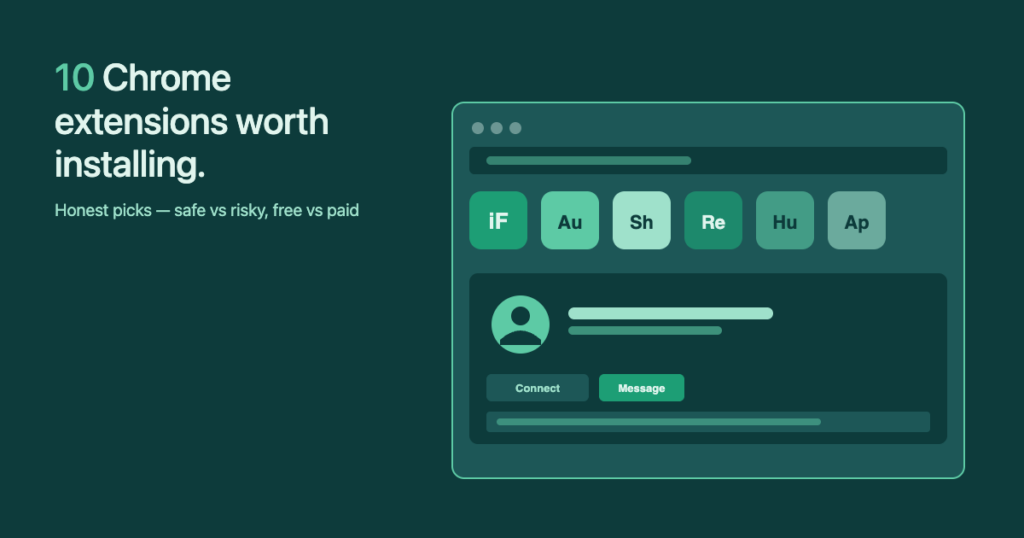
If you Google „best Chrome extensions for LinkedIn,“ you’ll find a dozen listicles that all push the same set of automation tools — Waalaxy, Dripify, Dux-Soup — without mentioning that LinkedIn’s detection has gotten noticeably stricter since 2024. This list is different. Every pick below is sorted into one of four categories — autofill, content, analytics, automation — and the safety risk is called out where it matters.
How we ranked them
Four criteria, in this order:
- Risk to your account: does this extension trigger LinkedIn’s automation detection?
- Real time saved per week: not „shaves seconds off a click“ — actual minutes you get back.
- Price relative to value: a $9/month tool that does one thing well beats a $99 suite that does ten things badly.
- Specific use case fit: a perfect tool for solo outreach is the wrong tool for a 5-person sales team.
Autofill vs automation — read this first
This is the single distinction that separates safe extensions from risky ones. Most listicles blur the two together. Don’t.
| Autofill (safe) | Automation (risky) |
|---|---|
Fills {first}, {company}, etc. into a template you already opened | Sends connection requests or messages on a schedule, without you clicking |
| You click Send. Manually. Every time. | Something else clicks Send. At a configurable rate per hour. |
| Looks identical to typing — no behavioral fingerprint | Looks like a script — detectable by LinkedIn’s anti-bot heuristics |
| Examples: InFilly, TextExpander, Chrome’s built-in form autofill | Examples: Dux-Soup, Waalaxy, Linked Helper, Dripify, LaGrowthMachine |
I personally know several people who lost decade-old LinkedIn profiles to automation tools that were marketed as „undetectable.“ Some had to involve a lawyer to get account access back. None of them lost the account because they typed too fast — they lost it because a tool sent something on their behalf.
1. InFilly — best for safe template autofill (free)
Full disclosure: I built InFilly. I built it because I had spent years pasting first names into LinkedIn message templates one by one, tried TextExpander (which can’t read names from the profile you’re on), and decided there was a gap. InFilly reads the open LinkedIn profile, fills {first}, {last}, {company}, {title}, and any custom token you’ve set up, and then waits for you to click send. That’s it. Zero sending, zero scheduling, zero automation. Which means zero account warnings — ever.
- Pros: Free tier covers solo use; works on any LinkedIn message screen (connection requests, DMs, InMail); custom token support; no account fingerprint.
- Cons: Single-purpose by design — if you want analytics or content scheduling, you need a second extension.
- Price: Free / Pro $9/month.
- Best for: Solo founders, freelancers, recruiters, anyone sending 20–200 personalized LinkedIn messages per week.
2. AuthoredUp — best for post formatting and writing
LinkedIn’s native post editor doesn’t support bold, italic, or bullet lists. AuthoredUp injects those formatting buttons into the editor (using Unicode tricks), plus adds a real-time mobile preview, a history of your past posts, and a basic scheduling feature. It’s the closest thing to a „proper“ LinkedIn post editor.
- Pros: Formatting that LinkedIn won’t add itself; mobile preview saves you from publishing a broken layout; post history with engagement metrics.
- Cons: The „rich“ formatting is technically Unicode characters — they look right, but screen readers struggle with them. Use sparingly.
- Price: Free tier / $12/month Pro.
- Best for: Anyone who posts on LinkedIn more than once a week.
3. Shield Analytics — best for tracking content performance
LinkedIn’s native analytics for personal profiles are terrible. Shield pulls the underlying data and shows it as proper dashboards — best-performing post types, engagement by hour, follower growth, the whole package. Think of it as the Google Analytics LinkedIn refuses to ship.
- Pros: Real metrics, not vanity counts; identifies your top-performing hooks; tracks competitors‘ profiles if you want to.
- Cons: Paid only after the trial; pricing scales aggressively for teams.
- Price: 10-day free trial, then $9–$83/month depending on tracked profiles.
- Best for: Content creators, marketers, anyone running a personal-brand play on LinkedIn.
InFilly reads the LinkedIn profile you’re on and fills {first}, {company}, {title} on your saved template in one click. No automation. No account warnings. Free forever for solo use.
4. Reepl — best AI writing for LinkedIn
Reepl uses your past posts as a style reference and generates first drafts in your own voice. It’s the only AI writing tool I’ve tried that doesn’t make me sound like every other LinkedIn-ghost-written-by-ChatGPT thread. Honest caveat: first drafts are still drafts. You’ll edit every one.
- Pros: Voice mimicry is genuinely good; integrated post scheduling; free tier is usable.
- Cons: Still needs human editing; the more you train it, the better it gets — so the first week is hit or miss.
- Price: Free / Paid plans from $19/month.
- Best for: Solo creators who post consistently and want to halve their draft time.
5. Hunter — best for finding business email addresses
The Chrome extension shows verified business email addresses on the LinkedIn profiles you visit. Useful when you want to follow up an accepted LinkedIn connection with a proper email — and Hunter’s verification accuracy on the major email patterns is consistently the best in this category.
- Pros: High verified-email accuracy; integrates with Gmail; clean Chrome UI.
- Cons: 25-search free tier disappears fast if you prospect daily.
- Price: 25 free searches/month, then $34+/month.
- Best for: Salespeople and recruiters running multi-channel outreach.
6. Apollo.io — best free lead database
Apollo gives you 60 free credits per month and a B2B contact database that rivals ZoomInfo and Cognism — at a fraction of the price. The Chrome extension overlays its contact records on LinkedIn profiles so you can grab email + phone in one click.
- Pros: Free tier is genuinely usable; large database; mobile numbers for senior decision-makers in major markets.
- Cons: Data quality varies by region (best in US, weaker in DACH/APAC); upsell pressure to add automated sequences.
- Price: Free / $59+/month.
- Best for: SDRs in the US/UK market.
7. Crystal Knows — best for personality insights before a DM
Crystal predicts a DISC personality profile from a LinkedIn page (writing style, photo, post topics). Then it suggests how to tweak your message: shorter for „Driver“ personalities, warmer for „Influencer,“ and so on. Sounds gimmicky; in practice the prompts move my reply rate noticeably for cold accounts.
- Pros: Specific message tweaks tied to predicted personality; works without leaving LinkedIn.
- Cons: DISC predictions are educated guesses, not facts; some people find the framing intrusive.
- Price: Free tier / $49+/month.
- Best for: High-ticket sales where each message matters.
8. Dux-Soup — most popular automation extension (use with caution)
Dux-Soup is the original LinkedIn automation Chrome extension. It auto-visits profiles, sends connection requests with templates, and follows up on a schedule. It works. It also runs directly in your browser tab, which means LinkedIn can fingerprint the behavior — and account restrictions on Dux-Soup users have been a steady background noise on Reddit for the past two years.
My honest pro tip: I tested an automation tool on an employee’s LinkedIn (not my own — I’d never risk my main profile). The volume was high, but about 50% of the connections it queued were off-target, because automation rewards reach over precision. The end result was net-zero pipeline.
- Pros: Mature product; templates and follow-up sequences; CRM integrations.
- Cons: Real account-restriction risk; broad targeting wastes weekly connection-request budget.
- Price: $14.99+/month.
- Best for: Teams running outreach on dedicated non-personal LinkedIn accounts.
9. Waalaxy — automation with multi-channel sequences (use with caution)
Waalaxy is the slicker, more recent take on Dux-Soup. Cleaner UI, multi-channel (LinkedIn + email), and a generous free tier. Same fundamental risk: LinkedIn doesn’t care how the automation is dressed up — if it sends messages on your behalf, it can be flagged.
- Pros: Polished UX; multi-channel sequencing; free tier for testing.
- Cons: Same automation risk as Dux-Soup; pricing climbs fast with team seats.
- Price: $0–$112/month per seat.
- Best for: Same as Dux-Soup — non-personal accounts only.
10. Evaboot — best for scraping Sales Navigator searches
Evaboot exports Sales Navigator search results to CSV, with enriched emails and company data. Niche but powerful if you already pay for Sales Nav and want to pull lists into your CRM or cold-email tool.
- Pros: The cleanest Sales Nav export I’ve used; built-in email verification.
- Cons: Only useful if you have Sales Navigator already; pay-per-credit pricing.
- Price: 10 free credits, then $9+/month.
- Best for: Sales ops people building lead lists from Sales Nav saved searches.
The complete comparison table
| # | Tool | Category | Free tier | Paid from | Safe? |
|---|---|---|---|---|---|
| 1 | InFilly | Autofill | Yes | $9/mo | Yes |
| 2 | AuthoredUp | Content | Yes | $12/mo | Yes |
| 3 | Shield | Analytics | 10-day trial | $9/mo | Yes |
| 4 | Reepl | AI writing | Yes | $19/mo | Yes |
| 5 | Hunter | Email finder | 25/mo | $34/mo | Yes |
| 6 | Apollo.io | Lead database | 60 credits/mo | $59/mo | Yes |
| 7 | Crystal Knows | Personality | Yes | $49/mo | Yes |
| 8 | Dux-Soup | Automation | 14-day trial | $14.99/mo | Caution |
| 9 | Waalaxy | Automation | Yes | $50/mo | Caution |
| 10 | Evaboot | Scraping | 10 credits | $9/mo | Yes |
My personal stack (the 3 I actually use daily)
Stripped down, here’s what runs on my Chrome bar every working day:
- InFilly for connection-request and DM autofill.
- AuthoredUp for formatting and previewing posts before publishing.
- Shield for weekly content-performance check-ins.
Total monthly cost when I run paid tiers: under $30. That replaces a $119 Sales Navigator subscription and roughly $300 in „all-in-one LinkedIn growth platform“ spend that I’ve canceled over the years.
Extensions I removed (and why)
- Surfe — Genuinely useful CRM sync to Pipedrive, but at multiple hundred euros per year it costs more than my CRM itself. The message-templates feature is its real value, and there are cheaper, better-focused tools for that alone.
- TextExpander — Tried it for LinkedIn templates. It can’t read the first name off the profile, so you still type every name manually. That gap is literally why I built InFilly.
- Generic „LinkedIn Helper“ tools — A handful of less-known automation extensions I tested all eventually triggered restrictions on test accounts. None worth naming.