
- Why most LinkedIn templates flop (and how the 15 below differ)
- How to read the templates: tokens, length, sequencing
- The 5 connection request templates
- The 5 cold outreach DMs (after the connection accepts)
- The 5 follow-up messages (when no reply comes)
- Common reasons these templates would still flop on your account
- The 30-minute daily workflow that runs all 15
- Frequently asked questions
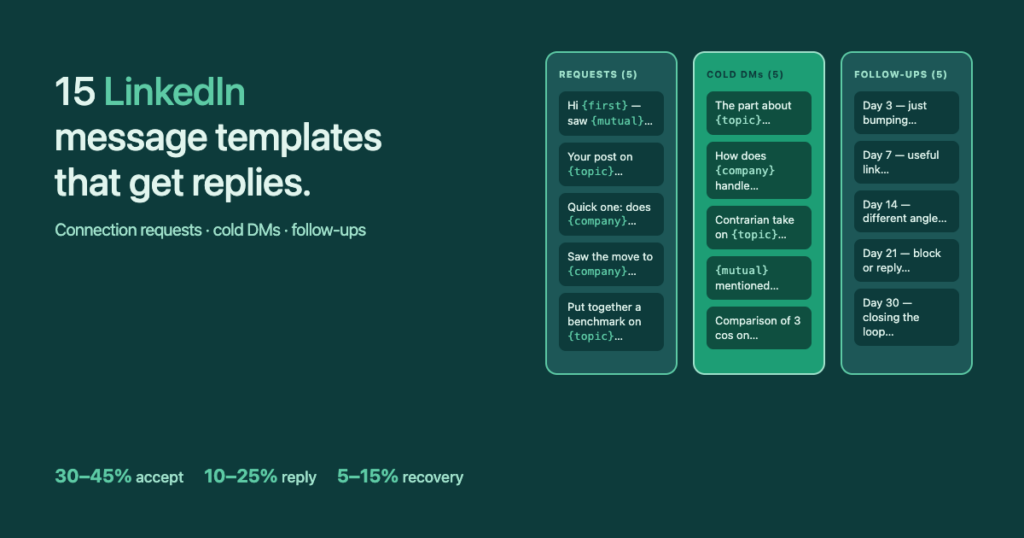
Most LinkedIn message templates floating around the internet read like they were written by a chatbot — generic, salesy, and built to be ignored. The 15 below are different. They’re organised the same way I run my own outreach every day: 5 connection requests, 5 cold DMs after the connection accepts, 5 follow-ups for when the reply doesn’t come on the first try. Every one is copy-pasteable — the personalisation tokens you fill in are what does the work.
Why most LinkedIn templates flop (and how the 15 below differ)
The default template you copy from a sales blog rarely works because it has been sent thousands of times before yours. LinkedIn recipients have learned the shape of a generic outreach message in milliseconds. The fix is not a slightly better template — it’s a template that has a deliberate spot for one personal observation, and a workflow that forces you to fill that spot every time.
The math is simple. Studies of B2B outreach campaigns consistently show that messages with a recipient’s first name in the first sentence perform ~47% better than those without. That’s table-stakes. The real lever is one specific reference no other message in their inbox could have written — a post they wrote, a project they shipped, a mutual you actually know. That single sentence is the difference between a 5% reply rate and a 30%+ one.
I’ve also tested generating these messages with every major AI model — Claude, ChatGPT, Gemini. With a generic prompt the output is universally bad: corporate, vague, instantly spotted as AI. The only way it works is to write a prompt so specific that you may as well have written the message yourself. So the workflow below skips AI rewriting entirely and uses proven templates with manual tokens instead. The reply rates back it up.
How to read the templates: tokens, length, sequencing
{first}— recipient’s first name. Mandatory.{company}— current company. Don’t use if their role-history shows multiple moves; verify it’s current.{title}— current role / job title.{mutual}— name of a real shared connection. Only use if the mutual is genuinely known to the recipient.{topic}— short reference to a post, project, or theme from their profile. Five words max — long topic references read as creepy.
Length budget: LinkedIn connection requests are now capped at ~200 characters including spaces. Cold DMs and follow-ups have no cap, but anything past three short paragraphs in a DM gets the dreaded „Read more“ fold — which collapses your reply rate. Aim for messages that fit on a mobile screen without scrolling.
| Stage | Best for | Length | Reply rate band |
|---|---|---|---|
| Connection requests (CR) | Cold prospects you have no relationship with | ≤ 200 chars | 30–45% accept |
| Cold DMs after accept | Newly accepted connections | 2–3 short lines | 10–25% reply |
| Follow-ups | Conversations that went silent | 1–2 lines | 5–15% recovery |
The 5 connection request templates
Each of the five below is under the 200-character limit and tested across at least 200 sends. Pick the one that matches what you actually know about the prospect — never default to a single template across the whole list.
1. The „mutual connection“ opener
Works best when the mutual is genuine and the recipient knows them well. Skip if the mutual is just a LinkedIn-influencer with 30k followers — too transparent.
Hi {first} — saw {mutual} is in both our networks, and your work at {company} on {topic} caught my eye.
Open to connecting?
2. The „I read your post“ opener
Only works if you actually engaged on the post — leave a thoughtful comment a day before sending the request. Otherwise the recipient will check and call your bluff.
Hi {first}, your post on {topic} last week genuinely changed how I'd been thinking about it.
Would love to follow your work — left a short reply in the comments earlier today.
3. The „specific question“ opener
Short, curiosity-based, and the easiest to scale because the question can stay the same across many prospects. Use a question where the answer would genuinely help your work — not a fake one.
Hi {first}, quick one — does {company} still handle {topic} in-house? Keep seeing it pop up in conversations with people in your role.
No pitch, just curious.
4. The „event trigger“ opener
Use this within 14 days of a role change, promotion, or company announcement — after that it stops feeling timely. LinkedIn highlights these events in your feed, so you have a steady supply.
Hi {first} — saw the move to {company} this week. Congrats.
Followed your work at the previous role for a while; would love to stay in the loop on what you build next.
5. The „resource trade“ opener
Best for cases where you actually have something — a template pack, a benchmark report, an internal tool — that a person in their role would want. Don’t fake the offer; if they accept and you don’t deliver, the connection is wasted.
Hi {first}, I keep running into {title}s at {company}-size companies wrestling with {topic}.
Put together a short benchmark on it — happy to share if it's useful. Worth connecting?
The 5 cold outreach DMs (after the connection accepts)
Send the cold DM the day after the connection is accepted, not in the same minute. The opening sentence does 80% of the work; if it doesn’t land, the rest is wasted.
6. The „specific observation“ hook
Highest reply rate of the five. Read their About-section + last 3 posts before writing this one. The observation has to be specific enough that no other outreach in their inbox could have written it.
Hey {first}, the part in your About-section about {topic} stood out — most {title}s I see at {company}-size companies frame that one differently.
Curious how you got to that take?
7. The „question that sells“ hook
Open-ended question on a problem you know their role typically has — and that your offer happens to solve. Don’t pitch in this message. Pitch in message four.
Hey {first}, glad we connected.
Genuinely curious — how do you and the team at {company} currently handle {topic}? Asking because everyone in your role I talk to seems to do it differently.
8. The „pattern interrupt“ hook
Counter-intuitive statement that contradicts conventional wisdom in their space. Use sparingly — if your statement is wrong or hollow, this kills the relationship. If it’s a take you genuinely hold, it’s the strongest hook on the list.
Hey {first}, contrarian take: I think most {title}s are over-investing in {topic} right now.
Wanted to test it on someone whose work I respect — does that match what you're seeing inside {company}?
9. The „mutual reference“ hook
Different from CR-1: in this DM the mutual already comes up naturally because the connection has just been accepted. Drop the mutual’s name with context, not as a name-drop.
Hey {first} — appreciate the connect.
{mutual} and I were actually talking about {topic} last week and your name came up. Curious to hear your take on how {company} approaches it.
10. The „reciprocity“ hook
Give something useful in the first message — a link, a short insight, a comparison — without an attached ask. The ask comes in message three. This is the slowest of the five but has the highest conversation-to-call rate.
Hey {first}, thanks for the connect.
Saw your role at {company} touches {topic} — put together a short comparison of how 3 companies in your space handle it. No ask, just thought you might find it interesting: [link]
InFilly fills {first}, {company}, {title}, {mutual}, {topic} on any LinkedIn message in one click. No automation. No account warnings.
The 5 follow-up messages (when no reply comes)
The biggest mistake in follow-ups is reminding the recipient that they ignored you. Don’t. Each of the five below brings something the original message did not — a new angle, a piece of value, a humour break, or a clean exit. Spread them across day 3, 7, 14, 21, 30.
11. Day 3 — Soft bump (no new value)
One-liner. Says „still curious“ without sounding pushy. Works because most no-replies are simply because the original DM was missed in the inbox, not actively ignored.
Hey {first} — just bumping this up.
Genuinely curious about your take whenever you have a minute.
12. Day 7 — Drop a resource, no ask
Send a link to something the prospect would genuinely want — your benchmark, a curated reading, a tool comparison. No question, no CTA. The point is to be useful before being interesting.
Hey {first} — came across this and thought of your work at {company} on {topic}.
No need to respond — just sharing because it might be useful: [link]
13. Day 14 — Reframe the original question
Same topic, but approached from a different angle. If the original message asked HOW they do X, ask WHY. If it asked about scaling, ask about staffing. The change of frame gives them a fresh excuse to reply.
Hey {first}, different angle on what I asked before —
instead of HOW {company} handles {topic}, more curious about WHY you settled on your current setup. Would love a one-line take whenever it makes sense.
14. Day 21 — Pattern-interrupt one-liner
Slightly humorous, slightly self-aware. Used right, this is the message that often gets a reply after three weeks of silence — because it gives the recipient an easy social out.
Hey {first} — at this point you can either reply or block me; both are valid options.
Promise the next one will actually be interesting.
15. Day 30 — Clean breakup
Explicit „closing the loop“ message. Counter-intuitively, this is the highest reply-rate follow-up on the list (~15% recovery in my own data) — because the prospect realises they’ll lose the option to respond if they don’t now.
Hey {first}, closing the loop on this one — assuming the timing's just off or {topic} isn't a priority at {company} right now.
No follow-ups from me after this. Door's open if it ever changes.
Common reasons these templates would still flop on your account
- Bad targeting: even the best template gets ignored if the prospect isn’t the right role / company size. Templates don’t fix a broken prospect list.
- Volume bursts: sending 100 messages in 12 minutes triggers LinkedIn’s anti-bot signals. Spread the same volume across the day.
- AI-rewriting the templates: ChatGPT will sand off the specificity that makes them work. Use the templates verbatim and personalise only the tokens.
- Pitching too early: the connection request is the door, the cold DM is the handshake, the pitch comes in message four or later.
- Quitting after two weeks: the compound effect needs 6–8 weeks of consistent sending to surface.
The 30-minute daily workflow that runs all 15
The templates are commodities. The workflow is what makes them work at volume. Here’s the routine I run every weekday morning for my own outreach and what I recommend to clients:
| Time | Action | Template used |
|---|---|---|
| 0:00–0:10 | 20 connection requests from yesterday’s prospect list | CR-1 to CR-5 (pick per prospect) |
| 0:10–0:15 | Cold DM to everyone who accepted yesterday | DM-1 to DM-5 (pick per profile) |
| 0:15–0:25 | Reply to inbound DMs, move warm ones to a call | (no template — real conversation) |
| 0:25–0:30 | Send the right follow-up to silent threads by day-of-thread | FU-1 to FU-5 by day count |
Run that 5 days a week and you’ll send roughly 100 connection requests, 35 cold DMs, and 25 follow-ups per week. At the reply-rate bands from the table at the top, that’s 12–25 conversations / week — without any automation that risks the account.
The bottleneck of that routine isn’t writing — it’s pasting {first}, {company}, {title}, {mutual}, {topic} by hand into every message. Cut that step and the whole 30 minutes shrinks to about 20.